GlobalGames · Help center
How can we
help you?
Guides for every console, answers to common questions and what to do if something goes wrong.
Quick actionsRequest a verification code or a new password. The seller sends it in the Difmark chat.
Popular topics
How delivery worksFrom purchase to playing, usually 5–30 minutes during support hours.
- STEP 1Buy on DifmarkPurchase the game and get your delivery link.
- STEP 2Open your linkPick your platform, enter order number and email.
- STEP 3Operator prepares itKeep the page open. It updates by itself.
- STEP 4Sign in and playLogin, password and, for consoles, a code step.
Guides by platformPick your platform to see exactly what you get and how to connect.
Where is my order number?You need it on the order page. It's in two places on Difmark.
Questions & answers
How long does delivery take?
Usually 5–30 minutes during support hours (09:00–00:00 EET). Orders placed after midnight are delivered when support is back at 09:00.
I submitted my order. What happens next?
An operator checks your purchase and prepares the account. Keep the order page open: it updates by itself and shows your login details when they are ready.
Where do I find my order number?
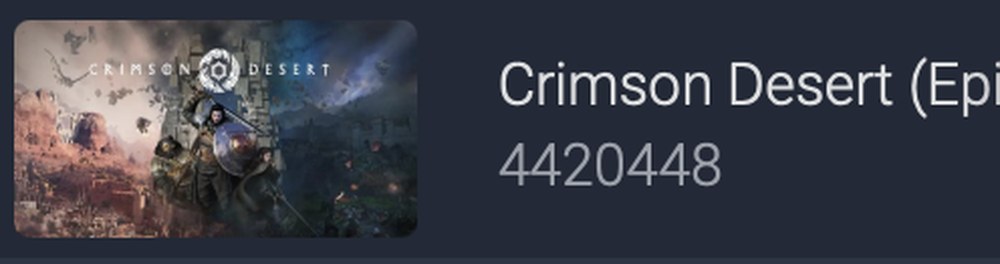
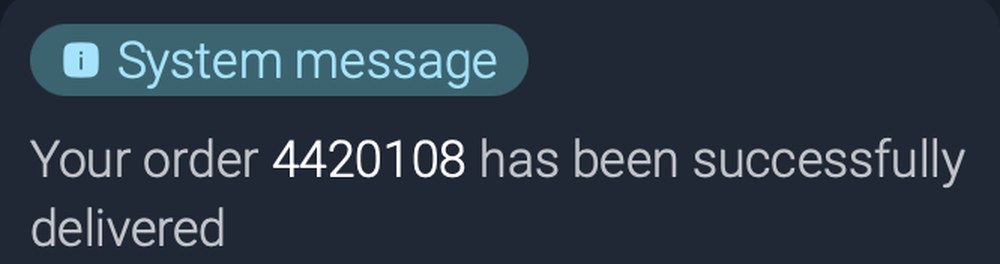
On Difmark in My orders ↗, under the game title, or in the seller chat in the message “Your order … has been delivered”. See screenshots ↓
I closed the order page
Open the same delivery link again. Your progress is saved.
My link says it has expired
Delivery links work for a limited time. Your order is safe: open the Difmark chat with the seller, ask for a new link and enter your order again.
Which code do I send from my console?
PlayStation: the 6 digits under the QR. Xbox: the 8 characters under “Enter this code”. Nintendo: press “Can’t scan the QR code?” and send the code it shows. Don’t scan the QR with your phone.
I sent the wrong code
On the order page press Wrong code? Change it and send the new one. Codes expire quickly, so send a fresh one if a few minutes have passed.
My PS5 asks for a verification codePS5
On your order page, under the login and password, press Request verification code. The operator sends the code to the same page, usually within a minute. If it doesn’t work, press Request a new code.
Steam Guard or Epic asks for a security codeSteam · Epic
Steam: press Steam Guard code at the top of this page. Epic: message the seller in the Difmark chat with your order number.
My Switch asks to load or link a virtual game cardSwitch
Press Cancel, not Load or Next. Then turn on Use Online License in User Settings and download the game with Options → Download Data. See the steps with photos ↓
Can I change the login or password?
No. Changing the login, password or email breaks access to the game and the order can’t be restored. Keep them as delivered.
The password doesn’t work
Press Password doesn’t work at the top of this page. The operator sends a new password in the Difmark chat within 1–3 minutes.
Can I buy DLC or in-game items on the account?
Ask the seller first. If the account ever has to be replaced, anything bought on it is lost: the warranty covers the game.
Can I use the account on a second console?
No. Use it on one console only. On Xbox, making it your home Xbox on a second console locks the game on the first.
I reset my console or replaced its drive
The game may stop working. Message the seller with your order number and we will check the account.
Nothing found. Try another word or ask in the seller chat ↗
Our guarantee
Every order is delivered through Difmark with buyer protection. If anything goes wrong with your delivery, message the seller in the marketplace chat and we will make it right.
Still need help?
Sign in only on your PlayStation
Use this login and password only on the PS5 or PS4 itself. Don’t sign in on a PC, phone, PlayStation App or in a browser: the sign-in won’t work there, and we can’t give you a code for it.